Troubleshooting Your Sauna
Most sauna questions have a quick fix. Here are the ones we hear most often. If you're still stuck, call us on 0414 596 118, email info@chakrawellness.com.au, or ask our chatbot for quick answers.
The Door Won't Close Properly
This is usually because the door is sitting slightly too low, so the seals aren't lining up. From inside the sauna, loosen the screws on the door side of the hinges, pull the door up and closed, then re-tighten the hinges. If it still won't close, check the sauna is sitting on a level surface, as an uneven floor is a common cause.
Connecting to Wi-Fi (Smart Life App)
Your sauna pairs with the Smart Life app. Not "Tuya Smart", which looks similar but won't work. The control panel needs a 2.4GHz Wi-Fi connection, not 5GHz. Many home routers broadcast both under one name, and this is the most common reason pairing fails.
Hold the power button on the control panel for 6 seconds, until you hear 2 beeps.
In the app, tap "Add device" then "Advanced Intelligent Sauna".
Follow the prompts, making sure your phone is on the 2.4GHz network.
Bluetooth Speakers
Press the Bluetooth symbol on the control panel, then search for "Sauna" in your phone's Bluetooth list and connect. Bluetooth holds one connection at a time, so if it won't connect, check whether another phone, tablet or laptop is already connected and disconnect it there first.
Which Light Button Does What?
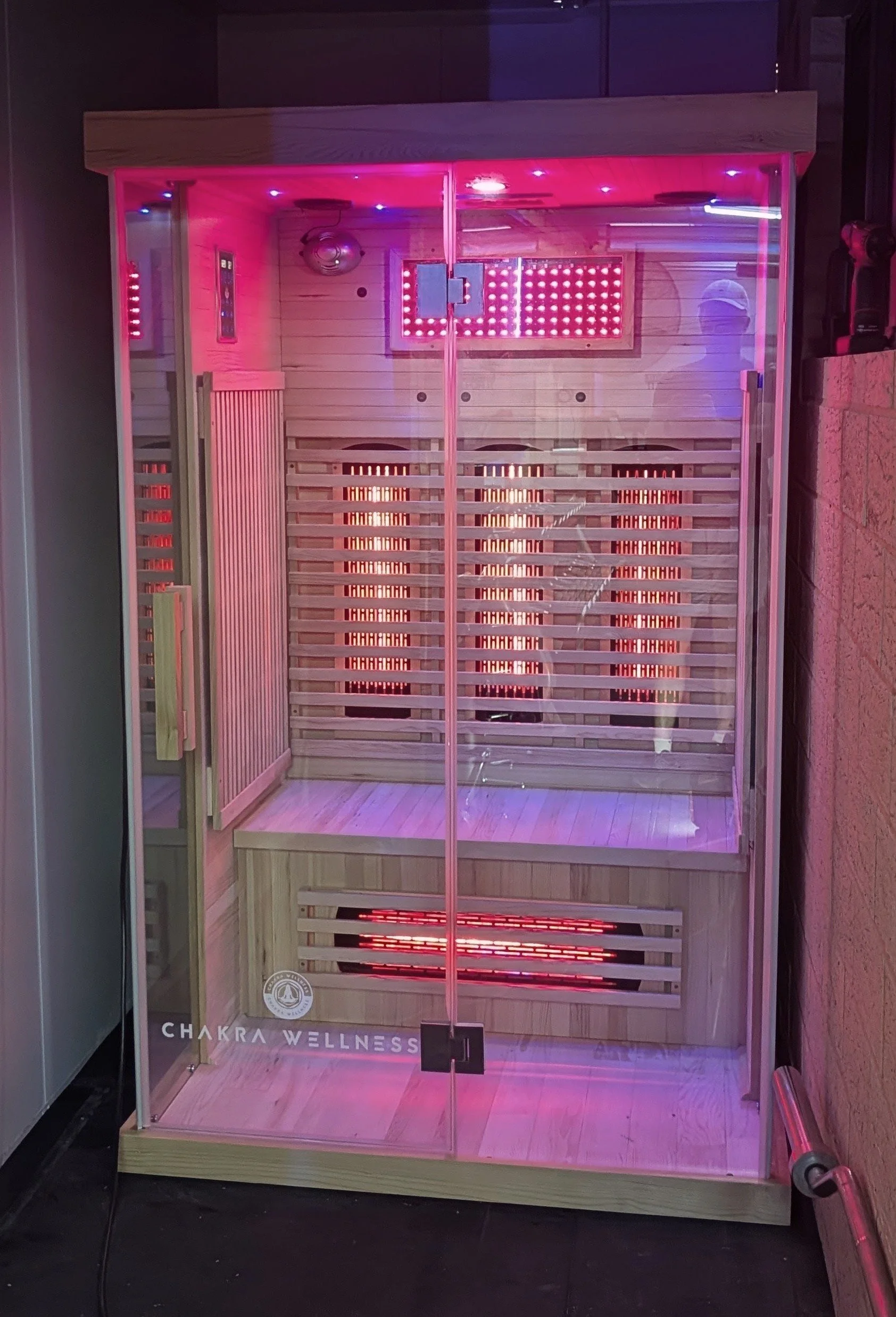
The right-hand light button on the control panel (sun icon) is the reading light.
The left-hand button (light bulb icon) isn't connected to anything on these panels. It's not a fault with your sauna.
The 7-colour chromotherapy lighting runs from the small handheld remote, not the panel. If the remote stops responding, replace its CR2025 coin battery.
On the 2-person saunas, the red LED panel is switched by the small black switch next to the light itself.
The Oxygen Ioniser
The ioniser turns on and off separately from the sauna, so it doesn't switch off when the sauna does. Please switch it off yourself after each session. For more on looking after your sauna, see our care and maintenance guide.
Display Shows Fahrenheit Instead of Celsius
Hold the TEMP+ button for a full 20 seconds. It's a long hold and nothing seems to happen for most of it, so keep holding until the display changes.
It Won't Turn On, or It's Not Heating
Check it's plugged into a working outlet and the circuit breaker hasn't tripped. (CedarZen needs a 15A circuit.) On the RadiantZen range each heater has its own switch, so check they're all switched on. If a heater still isn't working, give us a call.
Error Codes
HH: the sauna got too hot and shut down as a safety cut-out. Switch it off at the power and back on to reset it. If it keeps happening, contact us.
00 or 11: a temperature sensor fault. Contact us and we'll sort it out.
Smoke, a Burning Smell or Visible Damage
Turn it off, unplug it, don't use it again, and contact us straight away.
Still Need Help?
Anything electrical, or anything you're not comfortable doing yourself, please leave to us. Call 0414 596 118, email info@chakrawellness.com.au, or ask the chatbot.